
Last Updated on February 2, 2026 by Richard Martin Linga
Before you grow your online presence, it is important to learn how to check if my website is SEO friendly so you can understand what search engines and users see when they visit your site. By reviewing your page speed, mobile design, content quality, and technical setup, you can find simple ways to improve visibility and attract more visitors. With the guidance of SEO Specialist Philippines, business owners can follow clear steps, avoid common mistakes, and build a website that ranks better and performs well over time.
What Does It Mean When a Website Is SEO Friendly?
What “SEO Friendly” Really Means?
An SEO friendly website is easy for people and search engines to understand. It loads fast, looks good on phones, and has clear words on every page. Also, the buttons and links work well, so visitors do not get lost. When you learn how to check if my website is SEO friendly, you can see if your site follows these simple rules and helps users find what they need.
Why Being SEO Friendly Matters?
When your website is SEO friendly, more people can find you online. As a result, you get more visitors, more calls, and more chances to grow your business. A clear and helpful site also builds trust. Over time, visitors feel safe using your page and are more likely to come back.
How Google Looks at Your Website?
Google acts like a smart reader that scans your website. It checks your words, pictures, speed, and layout. Then, it decides if your site is helpful. If your pages are easy to read and easy to use, Google is more likely to show them to others. Because of this, keeping your website simple and clear helps you rank better in search results.
Why You Should Learn How to Check My Website Is SEO Friendly?
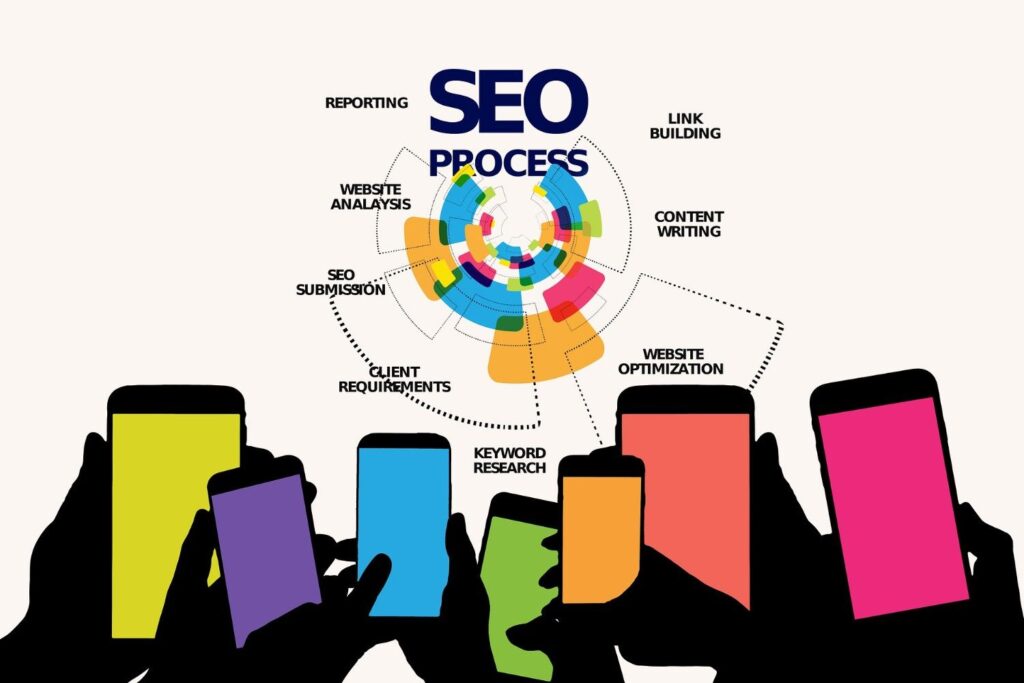
Learning how to check my website is SEO friendly helps you understand how people and search engines see your site. It also shows you what to fix so more visitors can find and trust your business online.
- More Website Traffic: When your site is easy to read and fast to load, more people can find it on Google. As a result, more visitors click on your pages and stay longer.
- Better Lead Generation: A clear and simple website helps visitors know what to do next. Because of this, more people fill out forms, call you, or send messages.
- Steady Business Growth: When more people visit and contact you, your business can grow. Over time, good SEO brings steady customers without paying for ads.
- Strong Trust and Credibility: A clean and helpful website looks professional. This makes visitors feel safe and confident when choosing your business.
Tools to Check If Your Website Is SEO Friendly
Google Search Console
Google Search Console shows how Google sees your website. It tells you if pages have errors, do not show up in search, or need fixes. After signing in, add your website, verify ownership, and review the reports. Then, check coverage, performance, and mobile issues to spot problems early.
Google PageSpeed Insights
PageSpeed Insights checks how fast your website loads. It also shows what slows it down. Simply paste your website link and run the test. After that, review the score and follow the simple tips to improve speed on desktop and mobile.
SEO Audit Tools
SEO audit tools scan your website and look for common problems. They check titles, links, content, and site health. By entering your website address, you get an easy report with action steps. Many beginners use these tools as part of affordable SEO in the Philippines while learning what to fix.
Mobile Testing Tools
Mobile testing tools check how your website looks on phones and tablets. They help you see text size, buttons, and layout issues. After entering your site link, review the preview and fix areas that are hard to use. This makes your website easier for mobile visitors.
Step-by-Step Guide on How to Check My Website Is SEO Friendly
Learning how to check my website is SEO friendly becomes easier when you follow clear steps. Each step below helps you find problems and fix them without stress.
1. Check Website Speed
Website speed shows how fast your pages load. Slow sites make visitors leave quickly. First, run your site through a speed test tool and review the results. Many people forget to resize images or remove unused files. A quick tip is to keep images small and pages simple.
2. Test Mobile Friendliness
Mobile friendliness means your site works well on phones. Since most people use mobile devices, this matters a lot. Check your site on different screen sizes and look for text that is too small. Often, buttons are too close together. A helpful tip is to use large text and clear spacing.
3. Review Page Titles and Descriptions
Page titles and descriptions tell Google what each page is about. They also help users decide to click. Review each page and make sure the words match the content. A common mistake is using the same title on many pages. A quick tip is to keep titles clear and short.
4. Check Content Quality
Good content is easy to read and helpful. Read your pages and see if they answer simple questions. Many sites use long sentences or confusing words. A smart tip is to write like you are talking to a friend.
5. Look for Technical Errors
Technical errors stop search engines from reading your site. Check for broken pages, missing images, and security issues. People often ignore small errors until they grow. A quick tip is to fix issues as soon as you find them.
6. Review Links and Navigation
Links and navigation help users move around your site. Make sure all links work and menus are clear. Broken links confuse visitors and search engines. A useful tip is to keep menus short and easy to follow.
On-Page SEO Checklist for Beginners
Use this simple checklist to make sure your website pages are clear, helpful, and easy for search engines to understand.
- ✔ Titles: Each page should have a short and clear title that explains what it is about. Good titles help people know what to expect before clicking.
- ✔ Headings: Headings break your content into small parts. They make reading easier and help visitors find answers fast, especially when learning from guides linked to SEO Outsourcing Philippines services.
- ✔ Images: Images should load fast and match your topic. Always add short descriptions so search engines know what the pictures show.
- ✔ Keywords: Use important words in a natural way. Do not repeat them too much. Place them where they fit best in sentences.
- ✔ URLs: Your page links should be short and easy to read. Avoid long numbers or random letters.
- ✔ Internal Links: Link to other helpful pages on your website. This keeps visitors learning and helps search engines understand your site better.
- ✔ Content Length: Write enough to fully explain your topic. Short pages may miss details, while clear and complete content helps readers trust you.
Technical SEO Basics You Should Understand
Technical SEO helps search engines read and understand your website. When you know how to check if my website is SEO friendly, these basics help you see if your site is easy to find and easy to trust.
HTTPS
HTTPS means your website is safe and secure. It protects visitor information and shows a lock icon in the browser. When a site is secure, people feel safer using it, and Google is more likely to trust it.
Sitemap
A sitemap is a simple list of all your website pages. It helps Google find new and updated content faster. Think of it as a map that shows search engines where everything is located.
Robots.txt
Robots.txt is a small file that gives instructions to search engines. It tells them which pages they can visit and which ones to skip. This helps control what shows up in search results.
Crawling
Crawling is when Google visits your website to read your pages. It looks at your words, images, and links. If your site is clear and working well, crawling becomes easier.
Indexing
Indexing happens after crawling. It means Google saves your pages in its system. Once indexed, your pages can appear in search results. If a page is not indexed, people cannot find it on Google.
Start Ranking Higher on Google Now
If you want to learn how to check my website is SEO friendly and get real results, SEO Specialist Philippines is here to help. We offer simple, honest, and proven strategies to grow your online presence. Hire me today and let us turn your website into a powerful tool for attracting more visitors and customers.
FAQs
How do I check if my website is SEO friendly?
You can check if your website is SEO friendly by reviewing your site speed, mobile design, content, and technical setup. Free tools like Google Search Console and PageSpeed Insights help show issues that need fixing.
Do I need technical skills to check my website SEO?
No, you do not need technical skills to start. Many tools explain problems in simple terms, and basic checks like reading your content and testing mobile views are easy to do.
How often should I check my website for SEO issues?
You should check your website at least once a month. It is also smart to review SEO after making changes or adding new pages.
Can a small business benefit from an SEO friendly website?
Yes, small businesses benefit a lot from SEO friendly websites. A clear and helpful site helps more people find you and trust your business online.
When should I hire an SEO specialist?
You should hire an SEO specialist when you want faster results or feel unsure about fixing SEO issues. Expert help can save time and avoid costly mistakes.